- This article outlines how to reprint a DHL Express commercial invoice.
Note
These steps can only be carried out if the order has already been printed and is only available for DHL Express. Other couriers display invoices directly on their labels.
Reprint a DHL Express commercial invoice
DHL Express requires all international shipments to contain a commercial invoice. These can be sent electronically using paperless trade (PLT) however, where not supported you are required to attach a commercial invoice to your package.
- In Starshipit, open the order using the Search function or from the Printed or Shipped sections.
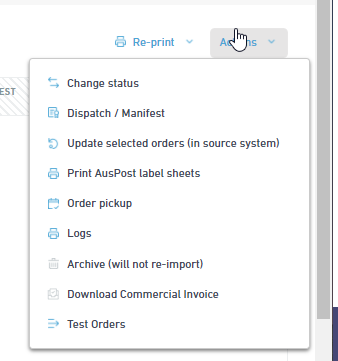
- Click Actions on the top right, then select Download Commercial Invoice.
- The PDF of the invoice will be automatically downloaded onto your computer.