
You can choose to import orders automatically or manually. Starshipit recommends you import orders automatically to prevent orders from being missed.
Automatically import orders
- In your Starshipit account, go to Settings > Integrations.
- Select Automatically import orders from all integrations (typically every 20 minutes).
- Click Save.
Manually import orders
- In your Starshipit account, select Orders.
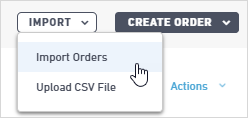
- Click Import, then select:
- Import Orders - Select the integration that you want to import from, and the number of days you want to import the orders from.
- Upload - Select and import a CSV file.
Set the status to import
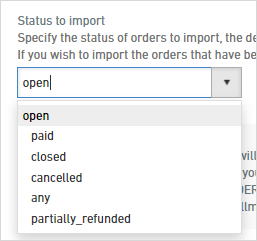
When you set up your integration, you can set the status of orders to be imported. The default status is open. To change your importing status:
- Go to Settings > Integrations.
- Select your integration e.g. Shopify.
- Set the Status to import.
Once imported, the system will show you how many orders it has brought over. The imported orders are now visible in the New tab on the Orders page.