
You can create rules in Starshipit based on the shipping method and shipping description your customer has selected during checkout. Starshipit can use this information to allocate a specific courier and product code.
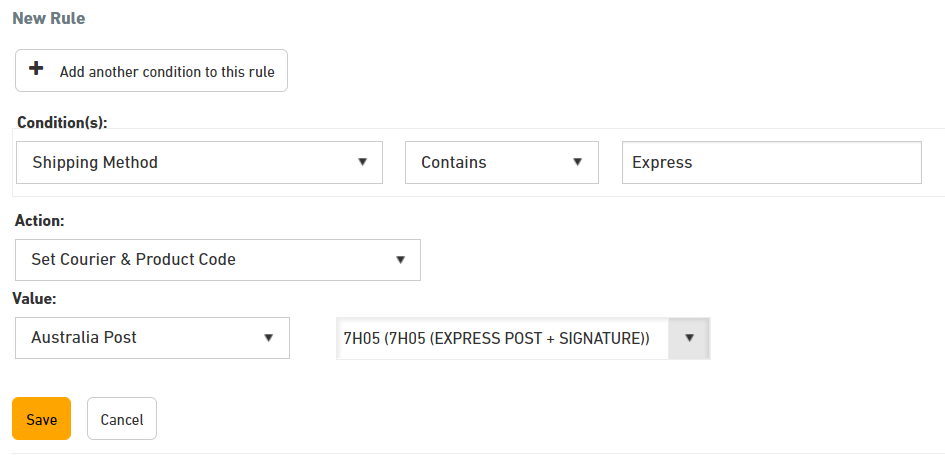
For example, if your customer selects StarTrack Express, their shipping method might be "StarTrack_Exp". You can set up a rule to automatically assign this order to StarTrack, for example: if Shipping Method = StarTrack_Exp, set up StarTrack as the courier and the product code as EXP (express).
How to set up a rule based on the shipping method
1. Find the shipping method for a particular order
- Open an order from the New section.
- On every order, in the right-hand top corner the Shipping Method is displayed; the second field is the Shipping Description. Both can be used when setting up rules.

2. Set up the rule
- In Starshipit, navigate to Settings > Rules.
- Click Add a new rule.
- Under Conditions select Shipping Method.
- Copy and paste the shipping method referenced from Step 1.
- Under Actions, select Set Courier & Product Code.
- Select the courier and product code to be used in the rule.
What's next?
Find out more about setting up rules in Starshipit.