
Starshipit currently supports the below marketplaces. If a country you wish to set up in Starshipit is not listed, please raise a feature request with our support tean here. The full list of current Amazon marketplaces can be found here.
| Australia | France | Netherlands | Sweden |
| Brazil | Germany | Poland | Turkey |
| Canada | India | Saudi Arabia | United Arab Emirates |
| Egypt | Italy | Singapore | United Kingdom |
| Japan | Mexico | Spain | United States |
What you need to get started
- The Amazon Marketplace you are integrating with
- Your Amazon username and password
How to set up Amazon SP-API
- You can integrate as many Amazon Marketplaces into your Starshipit account as you like.
- Starshipit integrates with Amazon MWS and Amazon SP-API. Amazon MWS will be deprecated at the end of July 2022. We recommend all users set up Amazon SP-API.
- Starshipit supports Amazon FBA & FBM in Australia and United Kingdom.
- Go to Settings > Integrations > Add a new integration > Amazon.
- Tick Enable Amazon.
- Select Amazon Selling Partner API as the API type.
- Select the Market Place from the Amazon Market Place drop down.
- Click Authorise, this will redirect you to Amazon to log in.
- Provide Starshipit access to your Amazon store.
- Once done, you will be redirected back to Starshipit and the integration will be good to go.
Additional Configuration
Status to import: Use this option to select what status orders should be in to import into Starshipit
(LEGACY) How to set up Amazon MWS
Add Amazon MWS Developer Permission
Warning
These instructions only work if you have aSeller Central Professionalaccount.
- Log into your Amazon seller central account.
- Hover over Settings in the very top right then click User Permissionsfrom the dropdown.
- Scroll to Amazon MWS Developer Permissions and click on the Visit Manage Your Apps button.
- Click on the Authorize New Developer button.
- For Developer's Name enter Starshipit.
- For Developer ID enter one of the following options:
- Use 1817-8885-3340 for Amazon Australia/Singapore/Japan Marketplace
- Use 4642-1105-5661 for Amazon Americas Marketplace
- Use 0305-7714-1617 for Amazon UK/Europe/Middle East Marketplace.
- Click on the Next button.
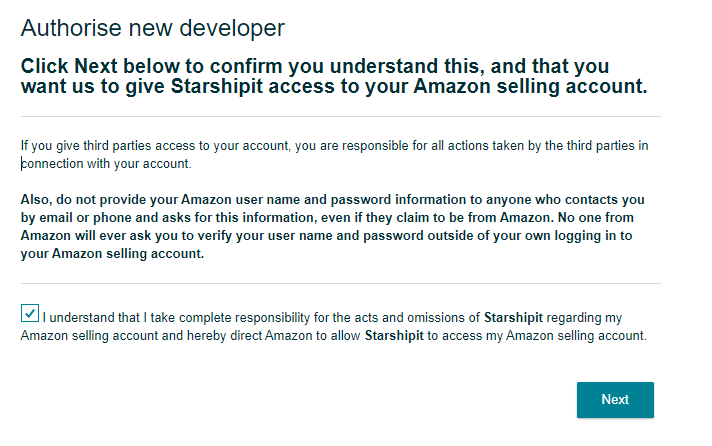
- Click on the Next button to confirm access.
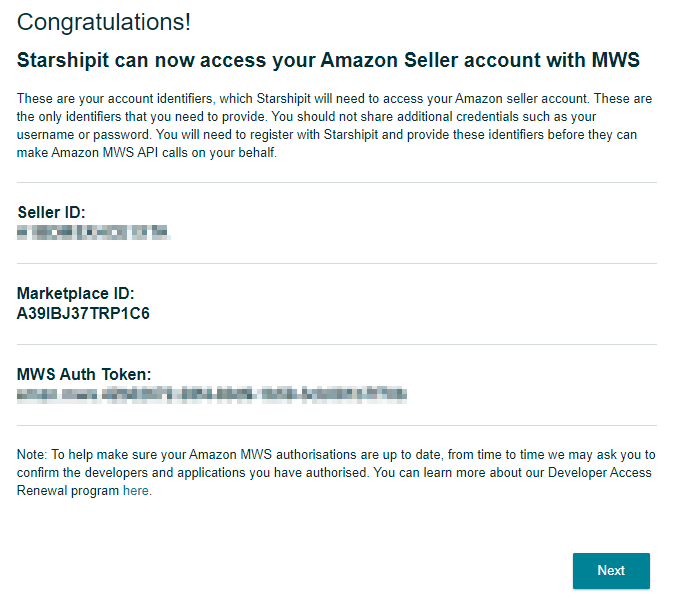
Note
Please note down your Seller IDand MWS Auth Tokenfor the next step.
Set up Amazon integration in Starshipit
- Log into Starshipit.
- Click Settings in the very bottom left then select Integrations.
- Click Add a new integration and select Amazon.
- Tick the Enable Amazon tick box.
- Enter your Seller ID.
- Enter your MWS Auth Token.
- Select your Amazon Marketplace.
- Set your Status to Import.
- Click on the Save button.