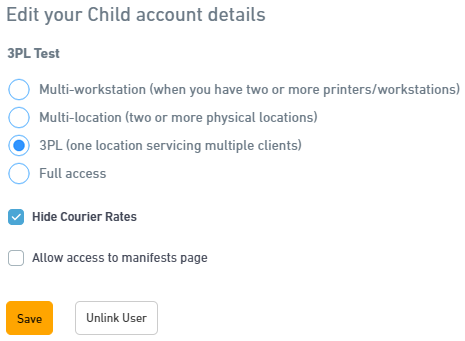
Configuring how rates should be displayed
Display negotiated rates
This option will allow your customers to see the actual rates you are quoted from the courier.
- Navigate to Settings > Child Accounts > Edit.
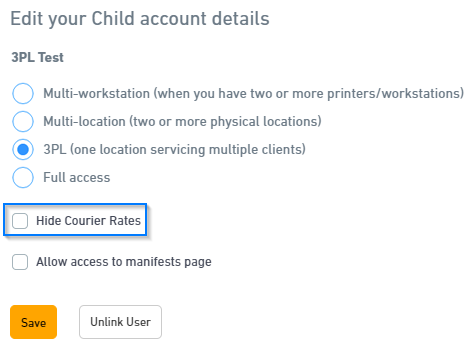
- Untick Hide Courier Rates.
- Click Save.
Display rates with margin
This option will allow your customers to see your rates with your margins added on top
- Ensure Hide Courier Rates is unticked for the child account (see above).
- Navigate to Settings > Child Accounts > Override.
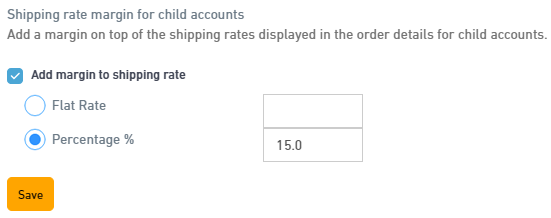
- Navigate to Settings > Customise Rates > Tick Add margin to shipping rate.
Note: This option is only available to users in override mode - Select whether you would like a Flat Rate margin or a percent margin and the value.
- Click Save.
The quotes within the order dialog will now be inclusive of your margins added.
Note
If using the shipping price reports feature, the child account user will see the margin rate when generating a report, not your base rates.
Hide rates
This option will hide all rates from the child account. They will see the options but with no quotes.
- Navigate to Settings > Child Accounts > Edit.
- Tick Hide Courier Rates
- Click Save.